Bookkeeping jobs, client documents, invoices, and signatures — tracked on one board, chased by one engine, silent the moment the client acts. Your team works the exceptions. FirmGlyde does the follow-up.
// jobs · invoices · documents · signatures — one systemopen the app → know the day
// WALK THROUGH IT
One board. Four chases. Zero follow-up.
The actual flow — click the steps to see each stage.
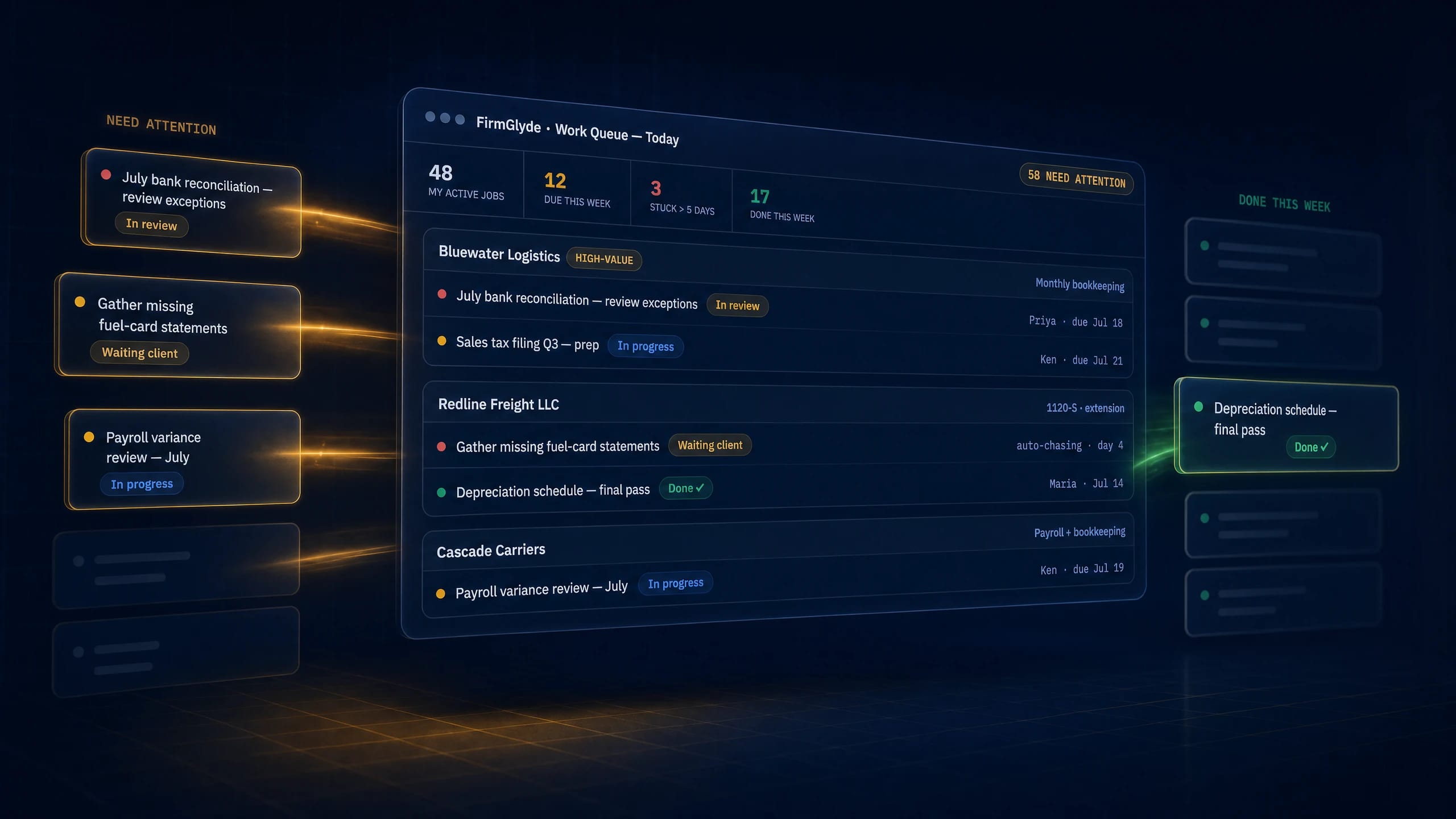
Jobs create themselves from workflow templates and the queue sorts by deadlines, dollars, and your most important clients — stuck work surfaces itself.
Work Queue — Today58 NEED ATTENTION
Task
Client
Why it’s up top
🔴
Review July rec exceptions
Bluewater · high-value
due tomorrow · $4.1k WIP
🟠
Missing fuel-card statements
Redline Freight
blocking the 1120-S · auto-chasing
🟠
Payroll variance — July
Cascade Carriers
due in 2 days
🟢
Depreciation schedule — final
Ironpeak
Done ✓
open the app, know the day · templates generate the recurring work; the priority engine sorts it; stuck jobs rise before they become missed deadlines
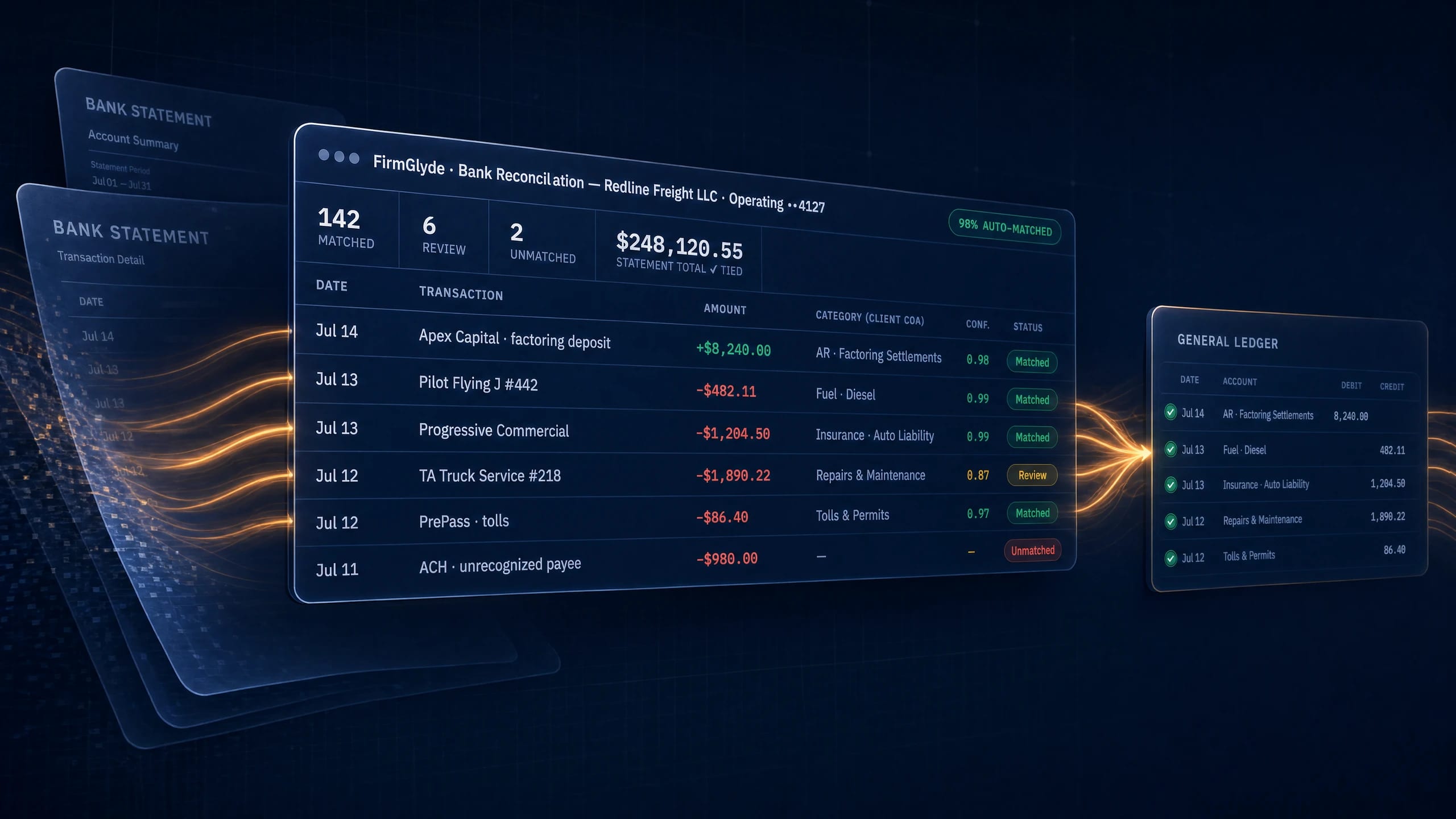
AR syncs from QuickBooks twice daily; every overdue invoice rides your email → text → call ladder — balance re-checked before every touch.
Bookkeeping jobs, invoices, client documents and signatures, on one board. Jobs create themselves from your workflow templates, the queue sorts by deadlines, dollars and your most important clients, and stuck work surfaces before it becomes a missed deadline.
How does the collections chase work?
Accounts receivable syncs from QuickBooks twice a day. Every overdue invoice follows your email, then text, then call ladder, and the balance is re-checked before every touch so the sequence always reflects what the client actually owes.
Will a client get a reminder after they have paid?
No. The balance is re-checked before each reminder, and a payment anywhere silences everything after it instantly. The same rule applies to missing documents and unsigned letters: the chase stops the moment the client acts.
Do clients need a login to send documents?
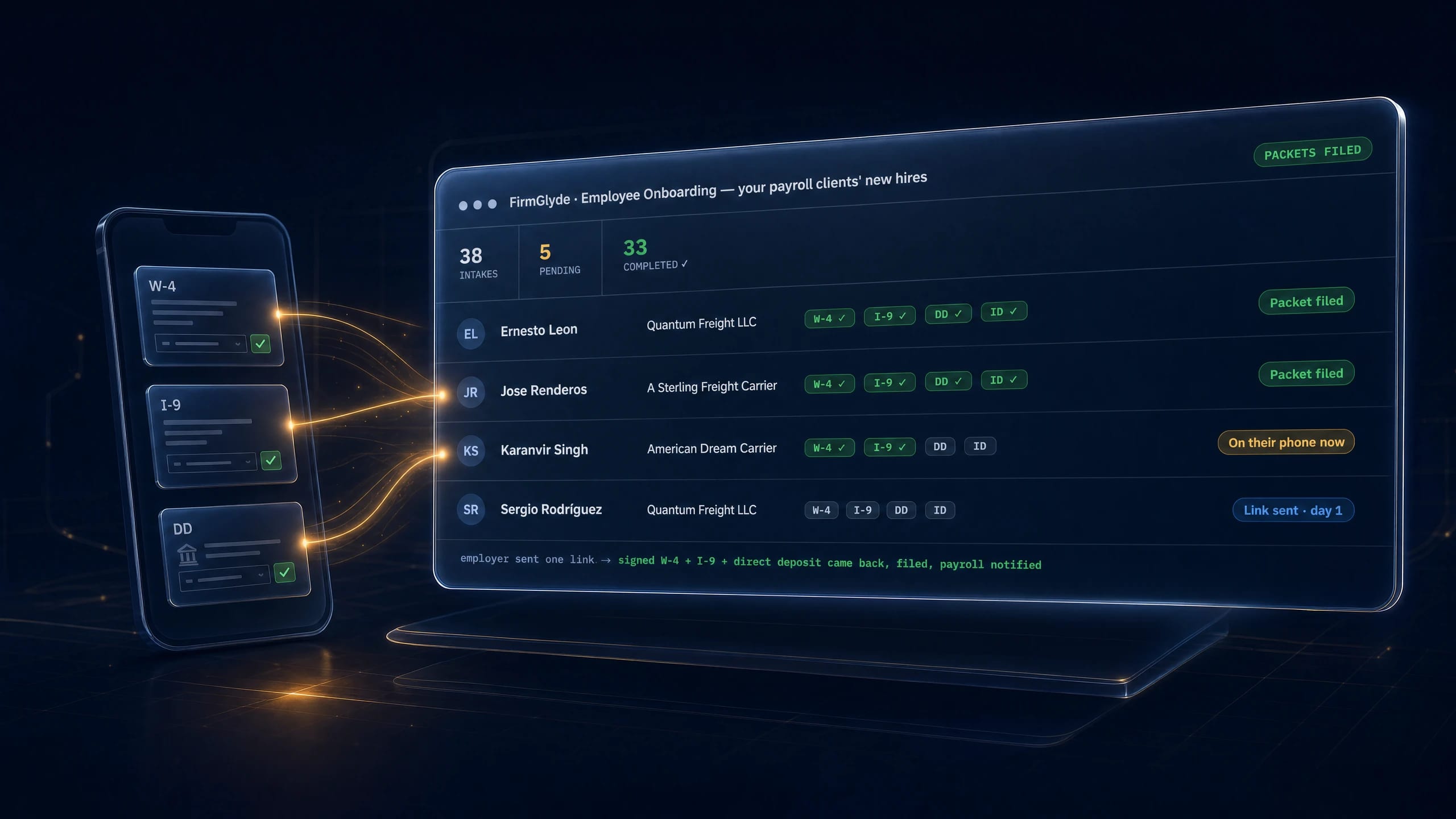
No. Organizer PDFs become checklists and each client gets one magic link. Wrong uploads bounce on the spot, reminders run until the list is complete, and approved documents file themselves into the organized vault.
Can it handle engagement letters and Form 8879?
Yes. Engagement letters build and price themselves from your price list, 8879 signature fields place themselves, and anything unsigned rides the same chase. Every email, text, call and signature lands on one audit timeline per client.
Run tomorrow from one board.
Bring your job list and watch the whole firm's day sort itself — chases included.